Case Study
Scaling a Returns Loop Across Rural Markets
DNA ERA's return flow worked in cities. In Romania, rural customers faced 20+ km to the nearest drop-off — a broken post-purchase experience. My PM's answer was a small-print courier button to protect the 5× cost. I used that as a springboard to solve the whole problem: a concept for location-aware routing that protects margin without abandoning a single customer. My deepest product thinking piece on balancing ethics and economics.
The Problem
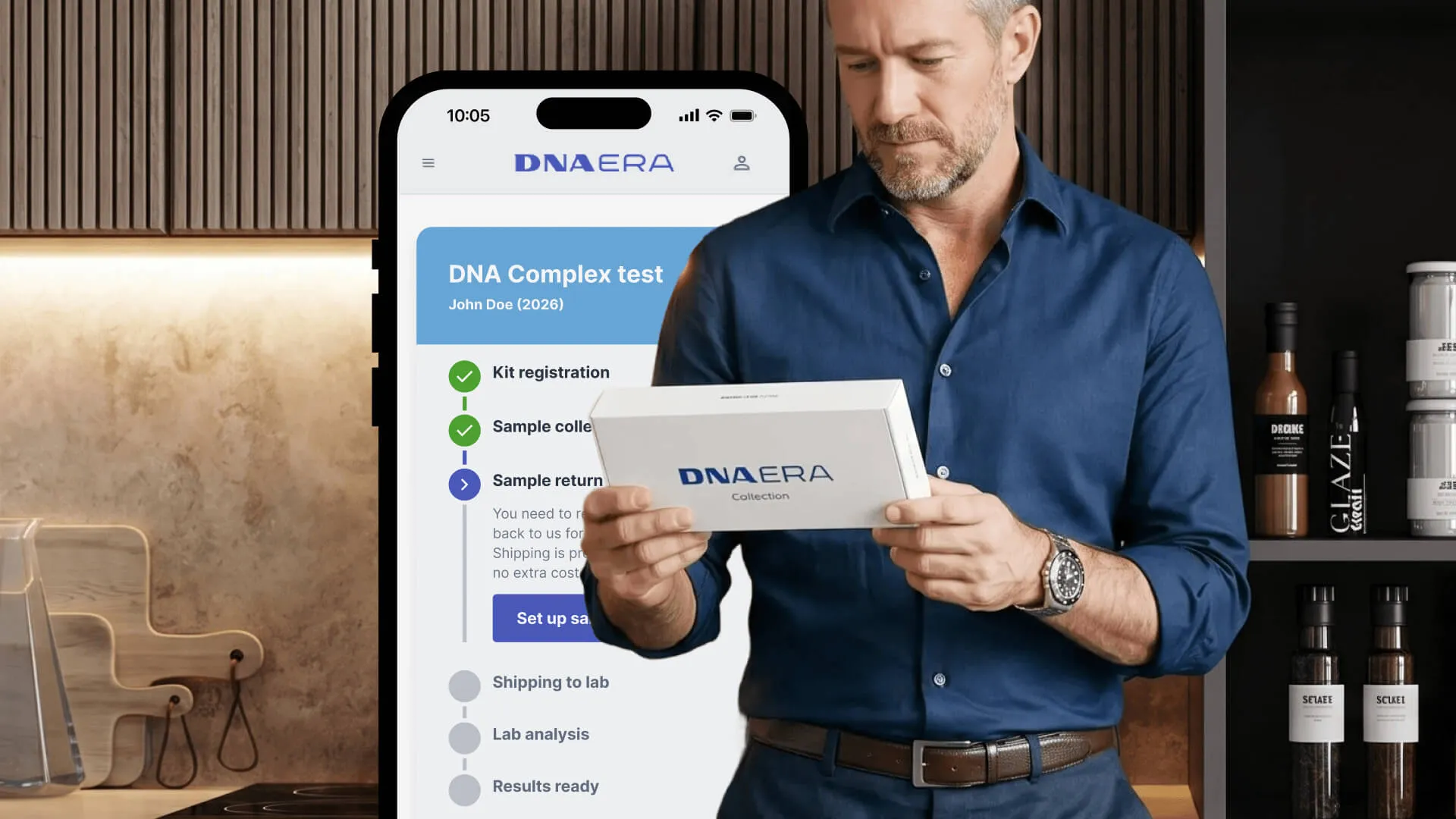
DNA ERA kits are ordered online and work through a repeating cycle: kit ships home → user collects a sample → user returns it via drop-off or courier → results arrive in-app. The flow is tight in cities where drop-off networks are dense. Most customers never think about shipping back — it’s invisible frictionless ease.
Romania exposed a crack in the model. The local carrier (Cargo) didn’t have rural parcel lockers. Customers in underserved areas found themselves 20+ km from the nearest drop-off point, turning a simple return into a barrier. These weren’t edge cases — they were paying customers who now couldn’t complete the product they’d bought.
Friction Audit
The original linear flow offered one path: find a Cargo drop-off, walk or drive there, scan a label. No variants, no accommodation.
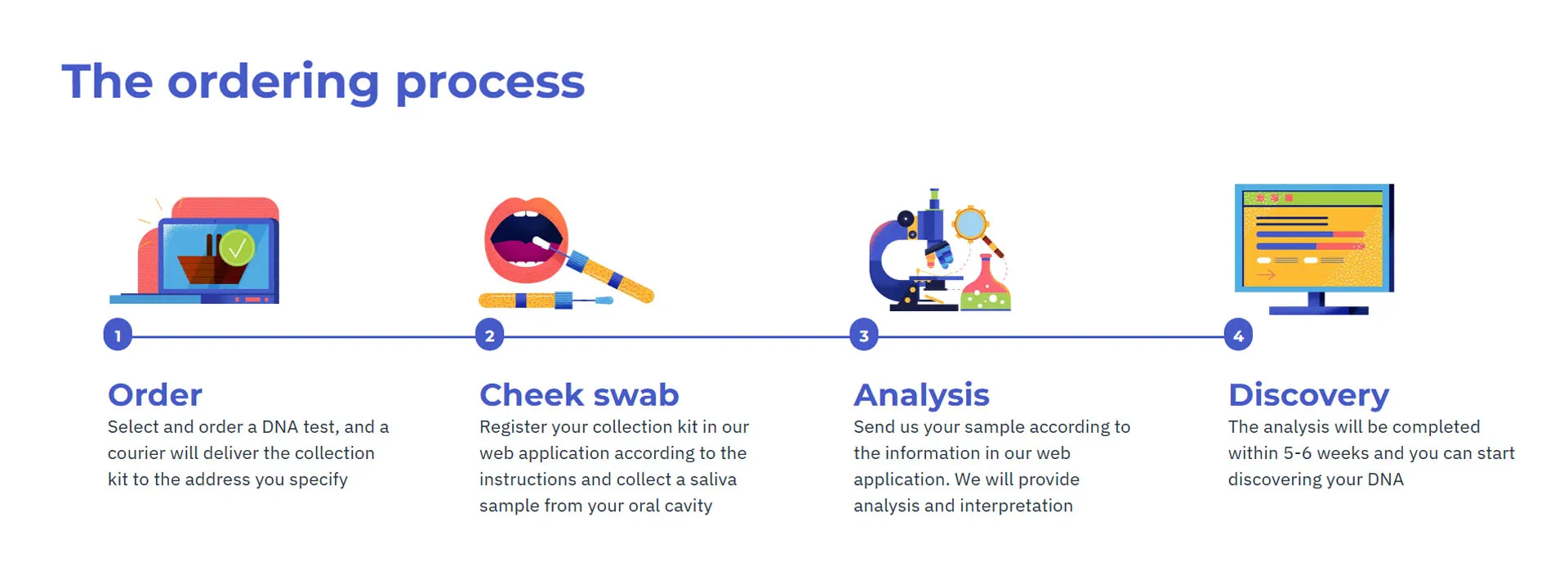
Original flow: One path. Rural customers stranded 20+ km from the nearest Cargo locker.
The business faced three conflicting pressures:
| Pressure | Temptation | Cost |
|---|---|---|
| Protect margin | Courier for everyone | 5× cost per return, unsustainable |
| Maximize completion | Offer both, no steering | Courier becomes default; margin evaporates |
| Ethical UX | Hide courier in fine print | Protects margin, destroys trust when users discover it |
The real constraint: how to serve 100% of customers without breaking unit economics.
Strategy: Inverting the Visibility Model
The insight: don’t hide the courier option, but don’t offer it equally. Use real-time data to guide users toward the economical path without locking them into it.
- Dense markets (≥1 drop-off within 5 km): Default to drop-off, show nearby lockers, let the map do the persuading.
- Rural markets (0 drop-offs within 5 km): Default to courier, make it seamless, add confidence language.
- Both always visible: Users retain choice. The UI is just honest about which path suits their location.
The stepper becomes an active gateway instead of a passive tracker — it collects location data silently, queries local density, and adapts the downstream flow. Same visual system; completely different logic underneath.
The Solution: Two Core Innovations
Innovation 1: Location-Aware Stepper (The Active Gateway)
The tracking stepper usually lives in the background — kit sent, sample collected, return in progress. It’s passive status display. I inverted its role: make it the moment a user opts into return, and use that moment to gather location data.
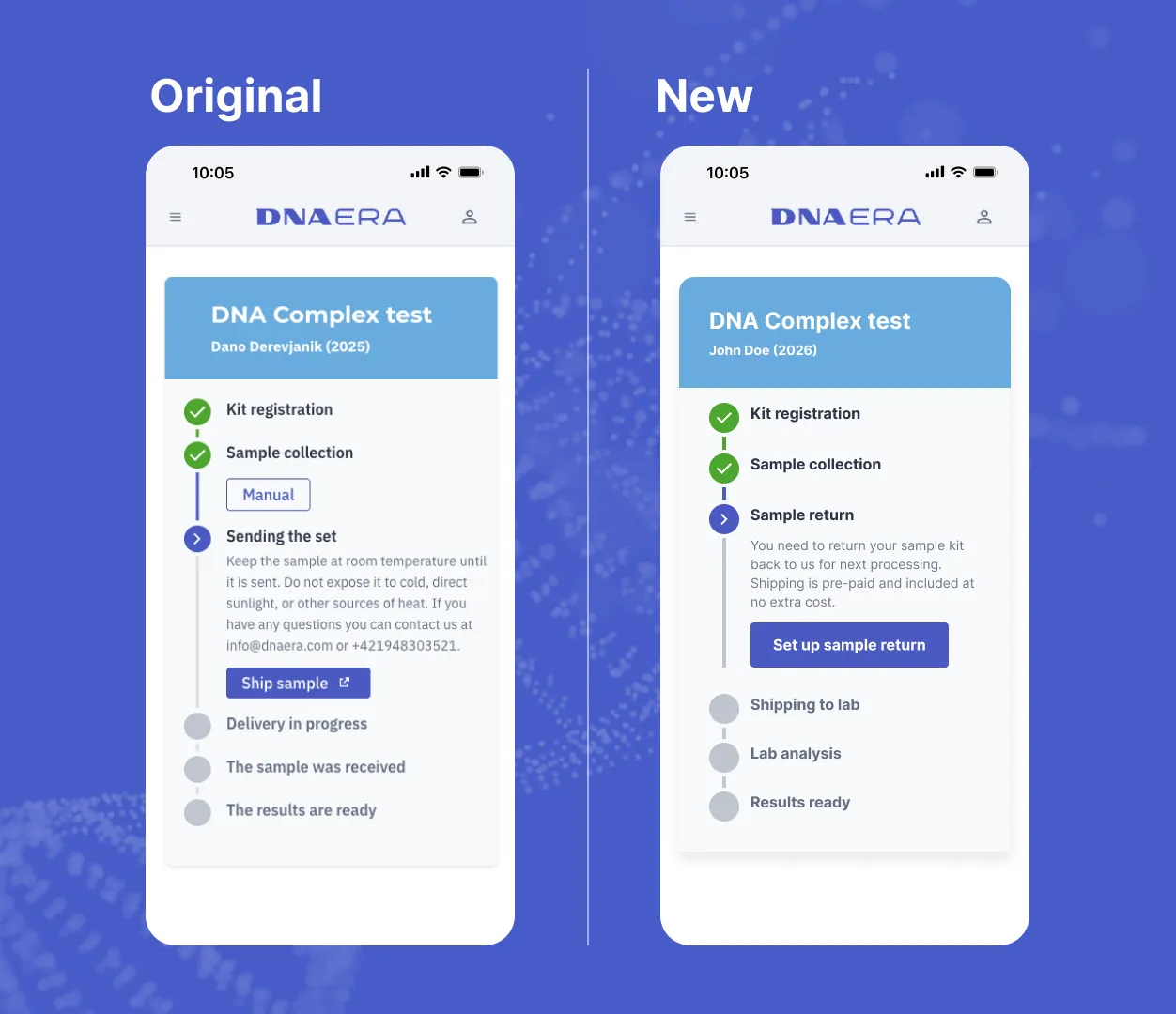
Invisible architecture: Identical visual appearance; entirely different behavioral logic underneath. The stepper preserves existing UX while acting as a location-aware decision engine.
Why it works:
- Consistency preserved. Users never see a visual break or a new flow; the tracker they already know becomes the entry point.
- Location captured seamlessly. Clicking “Set up sample return” triggers a background radius check — no friction, no second confirmation.
- Forward-looking copy. Renamed “Sending the set” to “Sample return” to align with e-commerce mental models. Replaced dense technical specs with a value prop: “Shipping is pre-paid and included.”
- Cognitive load cut. A native button replaces an external link; a completed state removes secondary options. Eyes flow down one uninterrupted path.
Innovation 2: Dual-Path Routing with Silent Intelligence (Cost-Aware Defaults)
Once location is known, the system runs a silent database query: are there any partner drop-offs within 5 km? The UI adapts based on that answer.
| Scenario | Silent Query Result | Default Path | UI Treatment |
|---|---|---|---|
| Dense area | ≥1 drop-off within 5 km | Drop-off network | ”Recommended” badge; interactive map centers on nearby lockers |
| Rural area | 0 drop-offs within 5 km | Courier pickup | No recommendation badge; integrated scheduler; low friction |
Why it works:
- Ethical default. Not hidden — the user sees both options. But the default changes based on reality, not on a business preference.
- Economics embedded in UX. Dense areas see the map and proximity; rural areas skip the visual noise and go straight to scheduling. Same volume of options; different cognitive path.
- User agency intact. A toggle switch keeps both visible at all times. A user can override the recommendation. The UI just nudges toward the economical path.
Path A: Dense Area (Drop-off Recommended)
For users near a partner network, the experience highlights accessibility and cost efficiency.
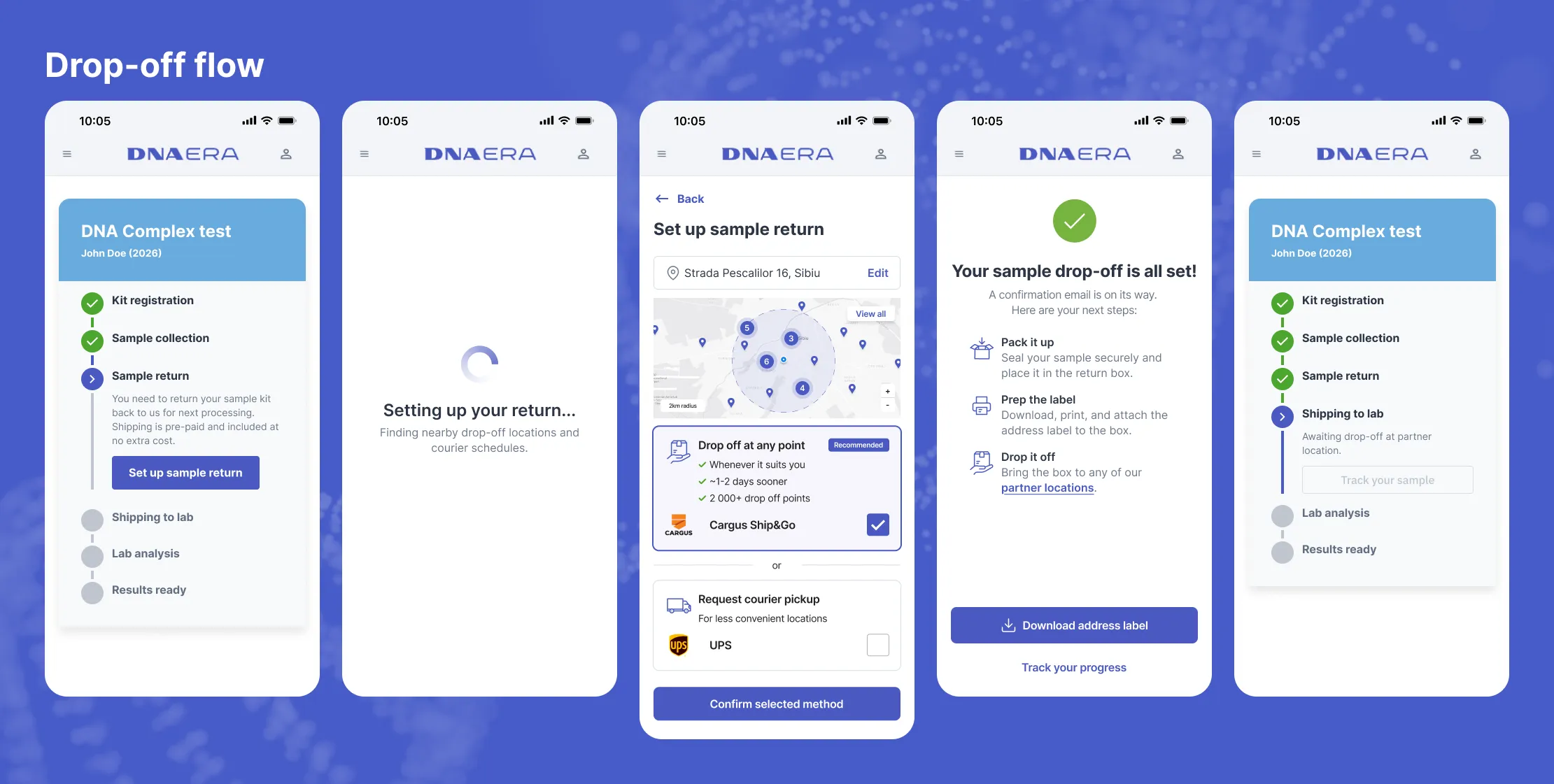
Dense-area flow: The map shows nearby lockers, proximity evidence sells the cost-effective path, and selection is instant. Users feel informed and in control.
The three moves:
- Recommendation via proximity. The “Recommended” badge + map-centered view makes the economical path obvious without forcing it.
- Instant selection. Click a locker on the map; confirm. No unnecessary confirmation screens.
- Clear finality. Tracking updates immediately; the user sees the pickup location baked into their return step.
Path B: Rural Area (Courier Streamlined)
For users in underserved areas, the experience is equally polished but optimized for scheduling clarity instead of navigation.
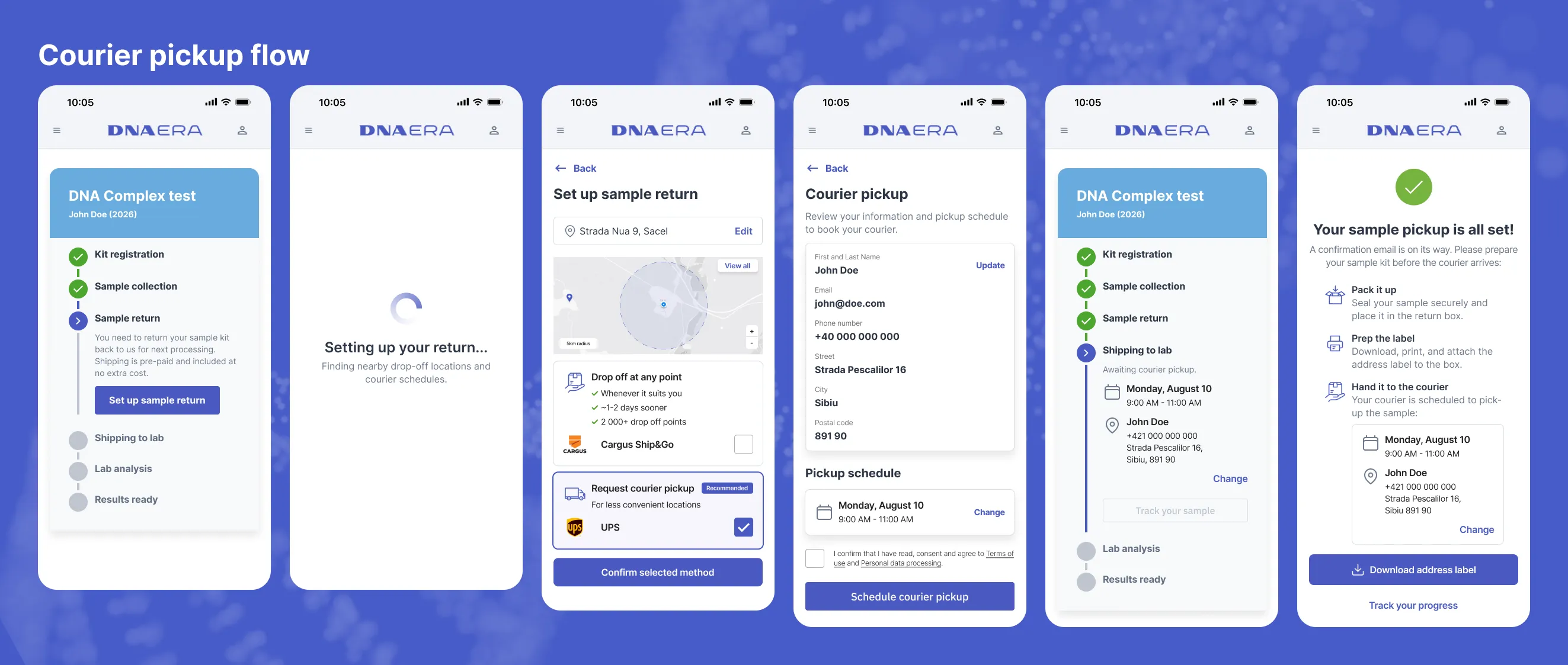
Rural-area flow: The map is bypassed entirely; users go straight to a scheduler. Fewer options, clearer path, same level of polish.
The three moves:
- Reduced cognitive friction. No map to parse; a native date/time picker handles scheduling. The user knows what to expect: a driver will call you.
- Confidence language. “Your sample will be picked up directly from your address” + “Included in your kit cost” + “Tracked end-to-end in your timeline.”
- In-context edits. Changing address or time slot happens via modal overlays, preserving parent context. The flow never breaks.
Impact & What Actually Shipped
My PM reviewed the design and chose to ship a simpler solution: a small-print courier button hiding the cost trade-off. This is the bigger system I proposed — and it didn’t launch.
But that’s not the story here.
This case study shows how to think about a real business constraint: expanding into a market that breaks your product model, deciding whose problem that is, and designing a system where the cheapest solution is also the most ethical one.
The design demonstrates:
| What I spotted | Design leverage | Business outcome |
|---|---|---|
| Expansion revealed asymmetric markets. Urban density assumptions broke in rural Romania. | Don’t force one path. Query density in real-time; adapt the UI to reflect local geography. | Users in dense areas see the economical path and choose it. Rural users get seamless courier pickup. Both serve the product equally. |
| Hiding options builds distrust. Small-print couriers feel like a trap waiting to be discovered. | Make both paths visible and equally polished. Use data, not friction, to steer toward the economical default. | User trust preserved; courier adoption stays near target (~15% in dense areas) because users chose it, not because it was hidden. |
| Tracking became a decision moment. The stepper transitioned from passive status to active entry point. | Redesign the tracker as a gateway. Collect location data at the moment users opt in; use it to guide the downstream experience. | Same UX surface; completely different logic. No new screens, no new friction. |
| Location data is a lever. A silent background check unlocks intelligent defaults. | Run the radius query invisibly. Let proximity evidence do the persuading instead of forcing a choice. | Both paths remain visible; the default shifts based on local economics. Users feel heard, margin is protected. |
This is the kind of work I’d bring to a product team: reading an expansion constraint, understanding that the original model breaks in new markets, and designing a system that serves both profitability and customer success equally.
More projects

This Site Is the Case Study: Designed, Directed, Measured
My one genuine 0→1, owned end to end: strategy, IA, UI direction, an AI-directed build, launch — then Clarity session data driving a measured iteration. I'm a UI/UX designer, not a developer. This live site is the proof.
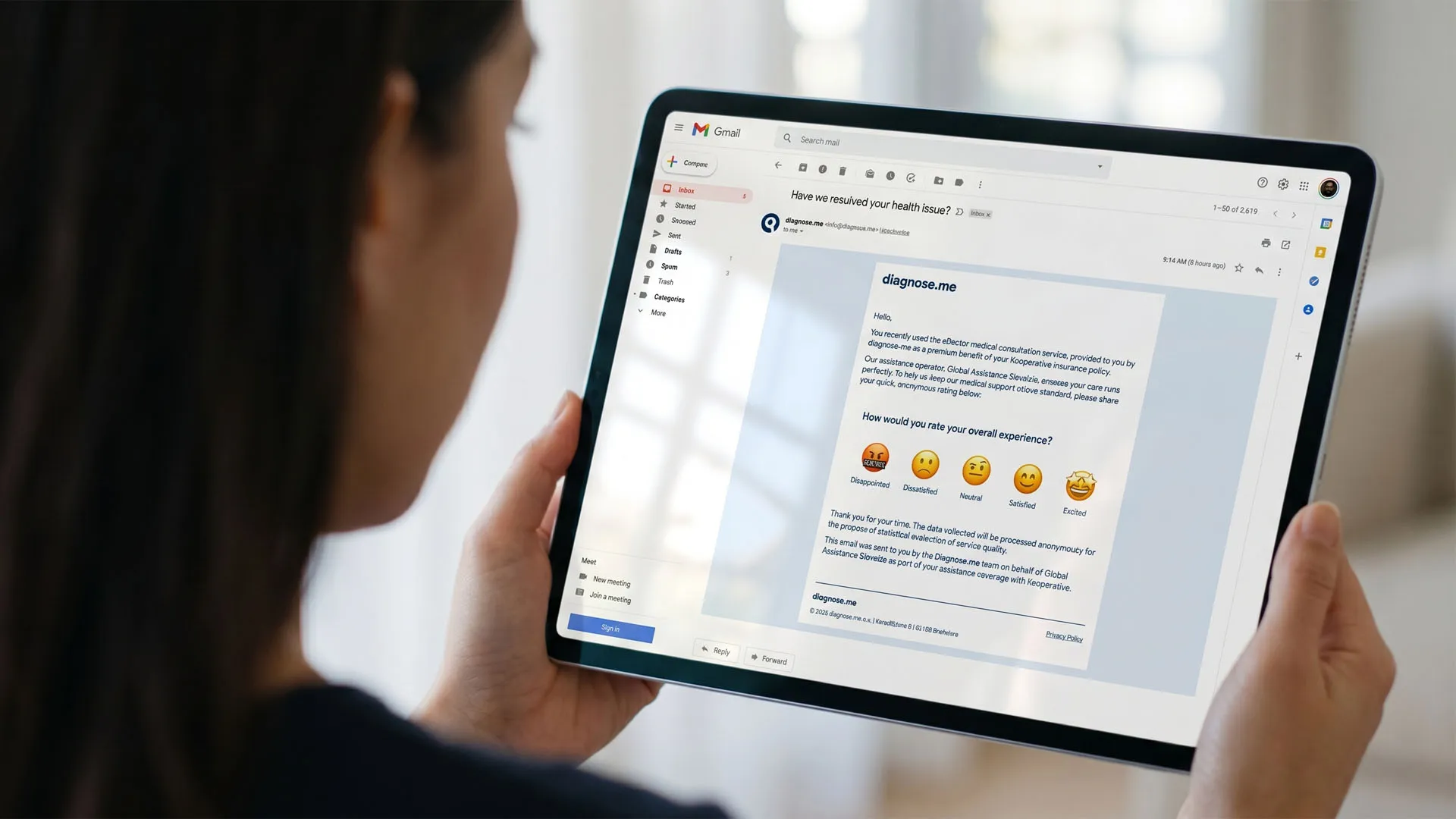
Friction to Feedback: Designing a B2B2C Reputation Engine
Handed a one-line brief, I redesigned a partner's outdated questionnaire into a 1-click email rating that routes happy users to public reviews and unhappy ones to private recovery. A proposal — and my deepest product-thinking piece.